
Generator Complet de Ștampile Digitale
Creați, Reparați, Extrageți și Aplicați Ștampile Digitale în Minute
Creați ștampile transparente curate de la zero, reparați imagini neclare de ștampile, extrageți ștampile din capturi de ecran și aplicați-le pe documente, toate într-un singur instrument bazat pe browser.
Nu necesită Photoshop·
Funcționează în browser·
Exportați PNG-uri transparente
Creați din șabloane
Reparați imagini neclare
Extrageți
Extrageți sigilii transparente
Aplicați pe documente


Refine Edges
Sharpen worn or blurry stamp images without leaving the browser.
75
Remove Background

Create from templates

Transparent PNG Export
Repair blurry images
Se încarcă editorul...
AI
Rezumat AI
Stamp Maker combină crearea, repararea, extragerea și aplicarea într-un singur flux browser, pentru a putea trece de la ciornă la ieșire reutilizabilă mai rapid.
4.9(2197)
De ce utilizatorii au încredere în Stamp Maker
Conceput pentru fluxuri de ștampile fiabile
De la prima ciornă la fișiere gata de livrare, totul rămâne într-un singur flux online.
💸
Gratuit la început
Capacitățile principale de creare ștampile sunt disponibile fără costuri inițiale.
⚡
Fără înregistrare forțată
Puteți încerca pașii cheie ai fluxului de lucru înainte de a vă angaja la un cont.
🧠
Instrumente asistate de AI
Folosiți repararea, extragerea și suportul de îmbunătățire pentru active vechi de ștampile.
🔒
Flux de lucru orientat spre confidențialitate
Gestionați pregătirea ștampilelor într-un flux online controlat de editor.
✅
Ieșiri curate
Exportați rezultate reutilizabile potrivite pentru documente și scenarii imagini reale.
👀
Previzualizare instantanee
Vedeți editările imediat și iterați rapid înainte de exportul final.
Cazuri de Utilizare
Puncte comune de plecare cu generatorul nostru de ștampile
Unii utilizatori pornesc de la zero. Alții pornesc de la o scanare neclară, o captură de ecran sau un fișier care are nevoie încă de o ștampilă. Stamp Maker este conceput în jurul acestui parcurs complet.
Creare + Reparare + Extracție + Aplicare


Creați propria ștampilă sau sigiliu de firmă
Folosiți șabloane, text și straturi pentru a construi un sigiliu de firmă, ștampilă de organizație sau ștampilă de afaceri pornind de la zero.
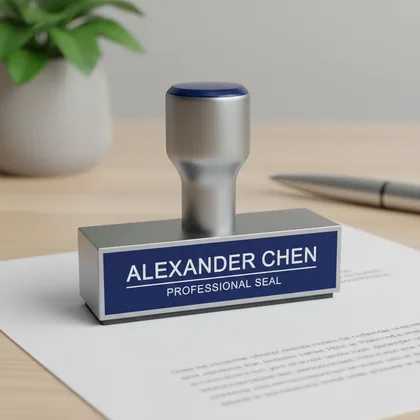
Generator de ștampile personalizate pentru ștampile de nume
Creați rapid ștampile personale de nume și ștampile pentru mici activități comerciale pentru profesioniști independenți și lucrări autonome.
Reparați ștampile vechi neclare
Transformați imagini vechi de ștampile spălăcite, neclare sau de calitate slabă în active mai curate care sunt mai ușor de reutilizat.
Extrageți ștampile transparente din scanări
Extrageți grafica ștampilei din fișiere scanate, fotografii sau capturi de ecran pentru a putea fi reutilizată în etapele ulterioare de editare și livrare.
Aplicați ștampile pe contracte PDF
Treceți de la o ștampilă curățată la contracte, acorduri și alte fluxuri de lucru cu documente PDF.
Pregătiți active pentru facturi și chitanțe
Creați rezultate de ștampilă mai curate și mai consistente pentru facturi, chitanțe și fișiere financiare.
Adăugați sigilii la grafica de e-commerce
Aplicați sigilii de brand, sigilii de aprobare sau mărci de încredere la imagini de produse, notificări de serviciu și grafică de campanie.
Ajustați stilurile de ștampile roșii și negre
Reglați culoarea, opacitatea și aspectul general pentru ca ștampila să se potrivească cu diferite contexte de ieșire și documente.
Salvați șabloane reutilizabile
Stocați stilurile comune de ștampile ca șabloane pentru ca următoarea sarcină să pornească din ceva deja validat.
Exportați fișiere de livrare
Exportați rezultatul în formate care sunt mai ușor de utilizat continuu în documente, imagini și predare de producție.
Instantanee editor
Trei moduri de a gândi experiența curentă a paginii de pornire
Pagina de pornire este centrată pe șabloane, editare de pânză și obținerea unui rezultat utilizabil.
+1200
Puncte de plecare și șabloane
22 Milioane
Editare de pânză și detalii
+500
Contexte de ieșire și aplicare
# Ce face Stamp Maker
De ce acesta nu este doar un generator basic de ștampile
Stamp Maker este construit pentru a vă ajuta să treceți de la nicio ștampilă electronică la un rezultat pe care îl puteți utiliza efectiv în documente și imagini.
# CREARE
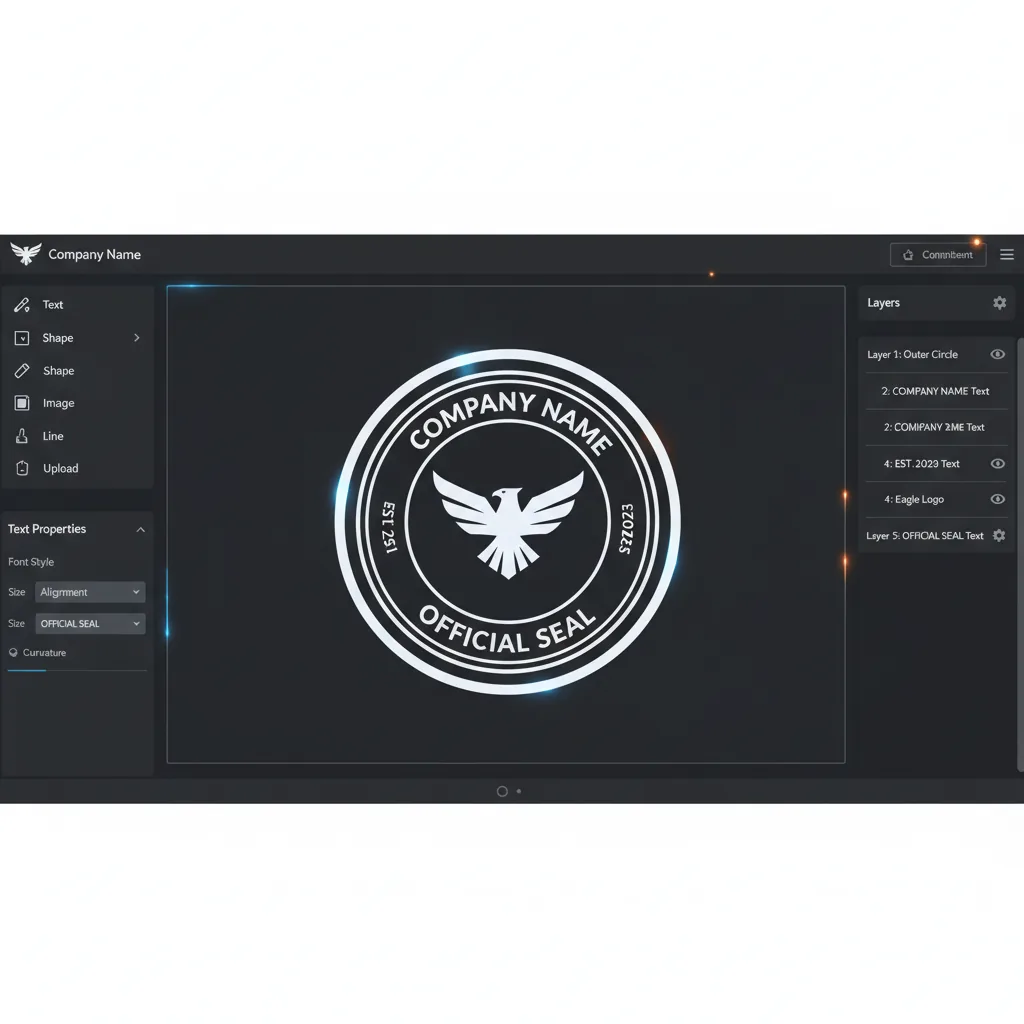
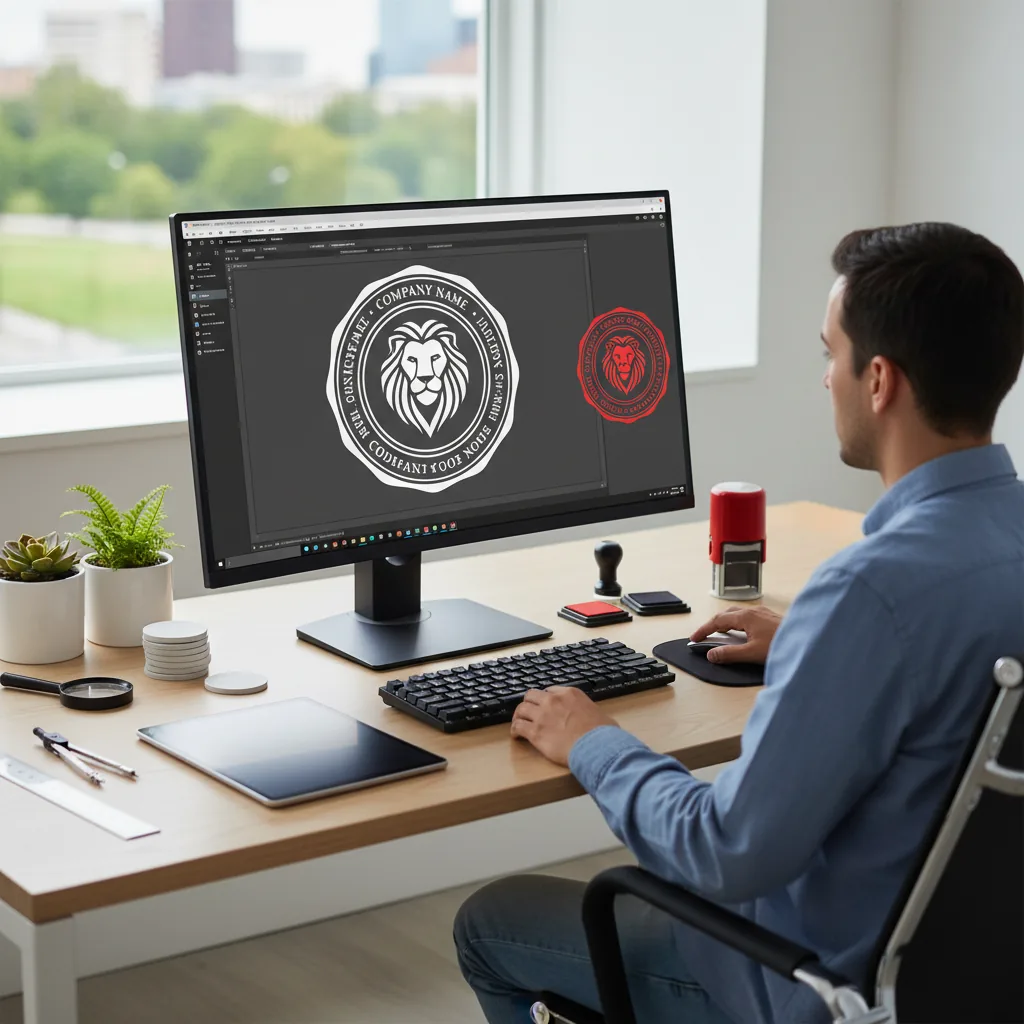
Creați o ștampilă electronică utilizabilă de la zero
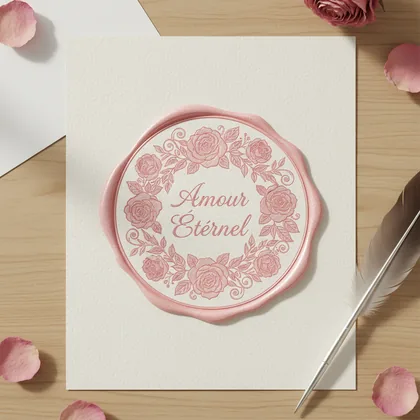
Începeți dintr-o pânză goală sau un șablon și folosiți text, straturi și controale de stil pentru a construi sigilii de firmă, ștampile de nume și alte tipuri comune de ștampile.
- Începeți din șabloane sau o pânză goală
- Folosiți text și straturi pentru a construi structura
- Ajungeți rapid la un rezultat sursă utilizabil
# REPARARE + EXTRACȚIE
Reparați ștampile vechi și extrageți artwork reutilizabil
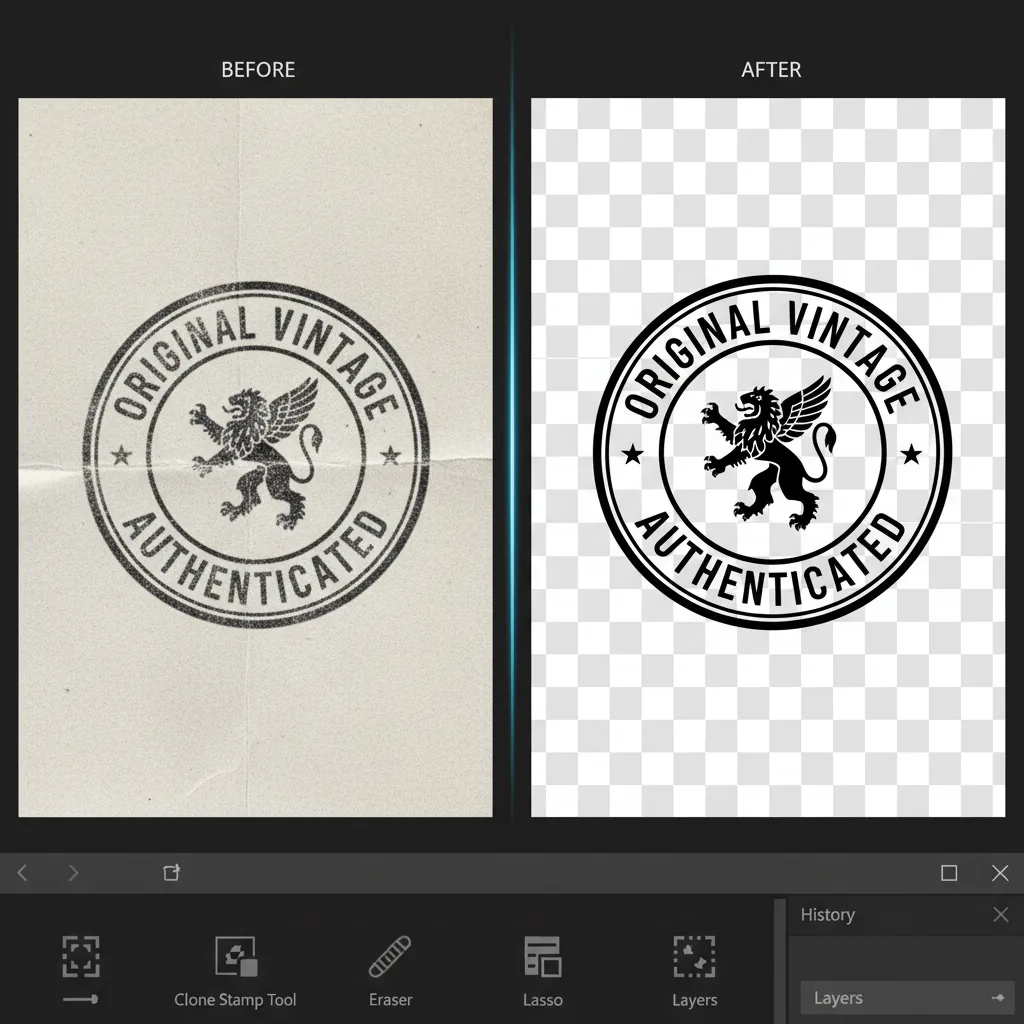
Dacă punctul de plecare este o ștampilă veche neclară, o scanare sau o captură de ecran, fluxul de lucru continuă prin curățare și extracție în loc să forțeze o reconstrucție.
- Reparați margini neclare, spălăcite sau aspre
- Extrageți ștampila din scanări și capturi de ecran
- Pregătiți un rezultat mai curat cu fundal transparent







# APLICARE
Continuați spre livrarea de fișiere reale
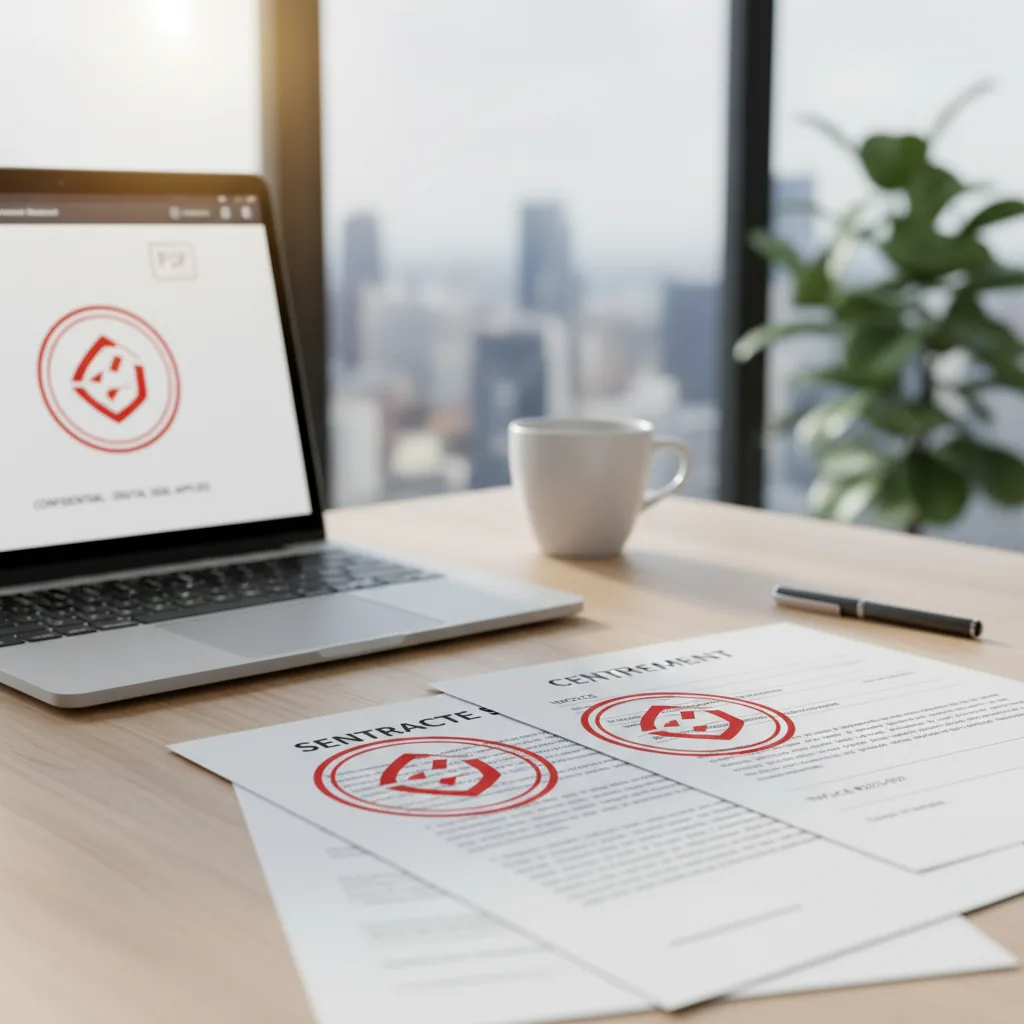
Scopul nu este un activ static singuratic. Scopul este să utilizați rezultatul în PDF-uri, imagini, contracte, facturi și materiale de e-commerce.
- Aplicați rezultatul în documente și imagini
- Exportați ieșiri mai ușor de reutilizat
- Reduceți schimbările de instrumente în fluxul de lucru
Cui se adresează
Echipe și persoane care au nevoie de rezultate de ștampile utilizabile
Produsul se potrivește persoanelor care au nevoie să facă sigilii, să curețe pe cele vechi sau să scape mai repede de fișierele ștampilate.
Echipe de birou și administrativ
Pregătiți sigilii de firmă, sigilii de departament și ștampile de confirmare mai rapid pentru ca documentele comune să nu pornească de la zero de fiecare dată.
- Sigilii de firmă și departament
- Șabloane interne reutilizabile
- Documente de contract mai rapide
- Mai puțină muncă repetată
Fluxuri de finanțe și facturare
Păstrați activele de ștampile mai curate și mai consistente între facturi, chitanțe și fișiere financiare.
- Pregătire de chitanțe și facturi
- Curățare ștampile vechi
- Ieșiri prietenoase cu arhiva
- Mai puține schimbări de instrumente
Echipe de e-commerce și operațiuni
Aplicați sigilii de brand, mărci de aprobare și grafică de susținere pentru ștampile la materialele de produse și servicii.
- Grafică de produse ștampilate
- Active de notificări de serviciu
- Mărci de brand reutilizabile
- Ieșire rapidă pentru mai multe scenarii
Fluxuri de lucru juridice și contracte
Introduceți active de ștampile în acorduri, confirmări și fișiere de contracte cu mai puțină asamblare manuală.
- Aplicare ștampile pe contracte PDF
- Pregătire de acorduri
- Ieșiri de fișiere consistente
- Mai puțină asamblare manuală
Echipe de design și conținut
Când ștampila face parte dintr-un activ vizual mai larg, editorul ajută la producerea de versiuni cu fundal transparent mai curate pentru reutilizare.
- Active de ștampile transparente
- Aspect mai consistent
- Utilizare în grafica promoțională
- Predare mai bună în fișierele de design
Profesioniști independenți și mici afaceri
Persoanele fără instrumente complexe de design pot crea și exporta în continuare ștampile personale de nume și ștampile de afaceri rapid.
- Configurare rapidă de ștampilă personală
- Fluxuri de sigilii pentru mici afaceri
- Utilizare în browser cu fricțiune redusă
- Funcționează pentru sarcini mici de frecvență ridicată
Comparație
Cum diferă Stamp Maker de alte metode de gestionare a ștampilelor
Diferența nu este dacă puteți desena o ștampilă. Diferența este dacă puteți trece de la activul de ștampilă la o ieșire utilizabilă cu mai puțină fricțiune.
| Funcționalitate | Stamp Maker | Instrument de ștampile cu scop unic | Editor de imagini generic | Lucru manual / externalizat |
|---|---|---|---|---|
| Începerea | ✅ Începeți în browser | ✅ Adesea rapid pentru creare unică | ❌ Mai multă configurare și competență | ⚠️ Depinde de predare |
| Acoperire flux de lucru | ✅ Creare + Reparare + Extracție + Aplicare | ⚠️ Majoritar creare | ⚠️ Posibil dar manual | ❌ Împărțit între persoane și fișiere |
| Creare de la zero | ✅ Șabloane + editor | ✅ De obicei da | ✅ Da, dar mai lent | ⚠️ Necesită briefing |
| Reparare ștampile vechi neclare | ✅ Integrat în fluxul de lucru | ⚠️ Limitat | ⚠️ Editare manuală | ⚠️ Depinde de furnizor |
| Extracție din scanări și capturi de ecran | ✅ Conceput pentru reutilizare | ❌ Adesea nu este focusul | ⚠️ Posibil cu pași manuali | ❌ De obicei necesită lucru manual de decupare |
| Aplicare pe PDF-uri și imagini | ✅ Conceput pentru utilizare documente | ⚠️ Adesea necesită alt instrument | ⚠️ Adesea necesită alt instrument | ❌ Predare mai lungă la fișierele finale |
| Reutilizare șabloane | ✅ Salvați șabloane reutilizabile | ⚠️ De obicei basic | ⚠️ Organizare manuală | ❌ Rebriefing de fiecare dată |
| Editare straturi | ✅ Straturi și proprietăți | ⚠️ Editare basic | ✅ Puternic dar mai greu | ❌ Doar buclă de feedback |
| Ajustări vizuale | ✅ Culoare, opacitate, fundal, efecte de îmbătrânire | ⚠️ Parțial | ✅ Flexibil | ❌ Buclă de revizuire mai lentă |
| Formate export | ✅ PNG, SVG, PDF și altele | ⚠️ Majoritar export imagini | ⚠️ Depinde de fluxul de lucru | ⚠️ Depinde de livrare |
| Repetabilitate echipă | ✅ Șabloane reutilizabile și ieșire mai stabilă | ⚠️ Depinde de obiceiurile manuale | ⚠️ Depinde de competența editorului | ❌ Variază după furnizor |
| Eficiență generală | ✅ Un singur loc, mai puține schimbări de instrumente | ⚠️ Rezolvă un singur pas | ⚠️ Puternic dar mai greu | ❌ Dus-întors încetinește livrarea |
Ghiduri video
Plimbări și note de flux de lucru
Această secțiune apare doar când plimbările relevante sunt disponibile pentru produsul curent.
Plimbările video sunt în pregătire
Nu am publicat încă plimbări specifice produsului pentru acest flux de lucru. Folosiți ghidurile de mai jos în timp ce primele videoclipuri sunt înregistrate.
- Demo-urile practice vor apărea aici odată ce plimbările produsului sunt gata
- Ghidurile relevante de mai jos acoperă același flux de lucru dintr-un unghi de documentație
- De îndată ce ID-urile video sunt adăugate, această secțiune va comuta automat la redare încorporată
Continuați explorarea
De ce suntem principalul generator de ștampile personalizate online
Un generator complet de ștampile digitale conceput pentru rezultate reale de afaceri
Nu doar creați un activ. Platforma noastră este concepută să vă ducă de la o pânză goală sau o scanare neclară direct la o ieșire profesională, utilizabilă.
De ce suntem principalul generator de ștampile personalizate online
Nu doar creați un activ. Platforma noastră este concepută să vă ducă de la o pânză goală sau o scanare neclară direct la o ieșire profesională, utilizabilă.
Treceți fără probleme de la creare și reparare la extracție și aplicare — toate într-un singur creator de ștampile digitale.

Aveți nevoie de mai mult decât un generator obișnuit de ștampile personalizate
Aveți nevoie de un flux care continuă până la livrare
Punerea creării, curățării, extragerii și ieșirii într-o singură interfață face mai ușor să ajungeți la un rezultat final utilizabil.
Aveți nevoie de mai mult decât un generator obișnuit de ștampile personalizate
Punerea creării, curățării, extragerii și ieșirii într-o singură interfață face mai ușor să ajungeți la un rezultat final utilizabil.
- Începeți dintr-un șablon sau o pânză goală și construiți rapid o ștampilă electronică utilizabilă.
- Când intrarea este o ștampilă veche neclară, continuați cu repararea și extragerea în loc să reîncepeți.
- Folosiți rezultatul în PDF-uri, imagini, contracte, facturi și active de e-commerce în loc să vă opriți la nivelul de activ.
- Salvați șabloane, reutilizați stiluri și reduceți configurarea repetată în munca recurentă.

Capacități de bază în crearea și ieșirea ștampilelor
Părțile editorului pe care utilizatorii le folosesc cel mai mult
Fie că porniți de la o pânză goală, o imagine veche de ștampilă sau un fișier care are nevoie încă de o ștampilă, același flux continuă să avanseze.
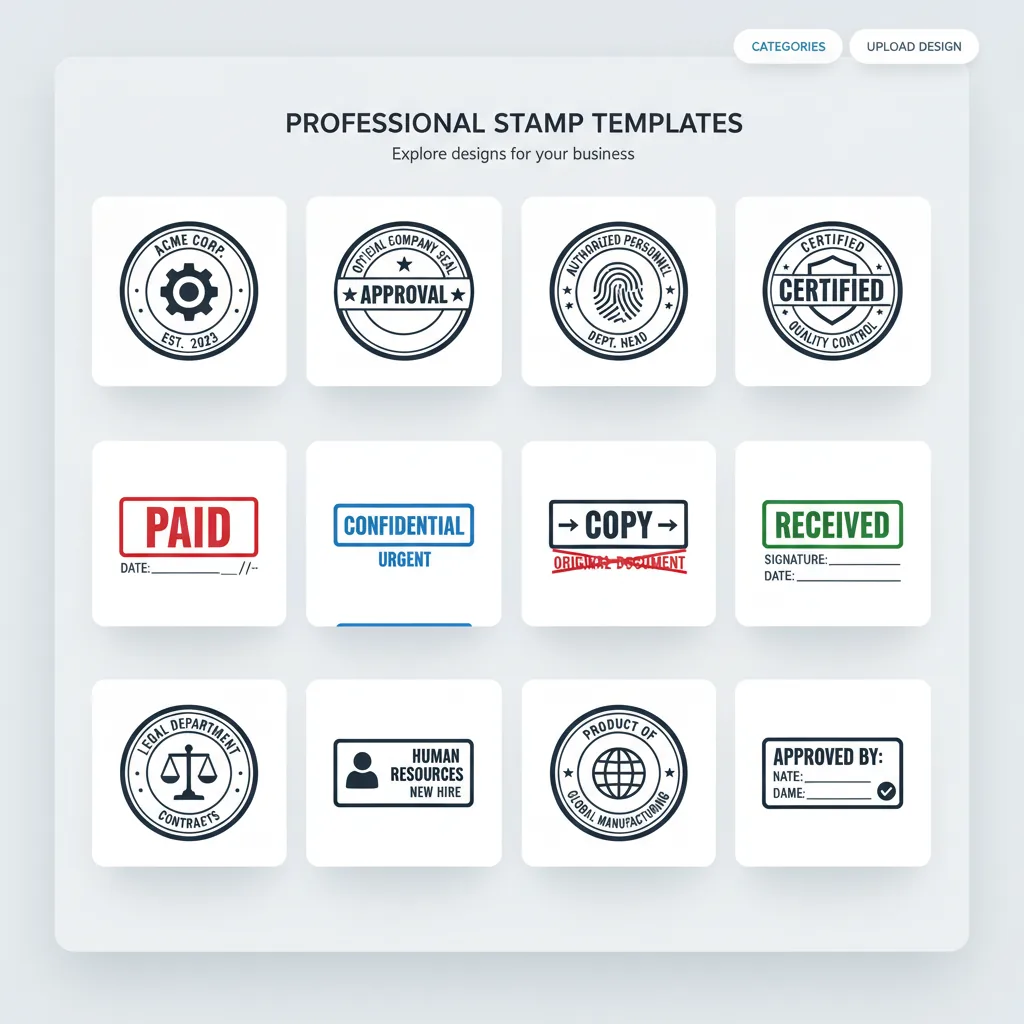
Puncte de plecare șabloane
Șabloanele de ștampile încorporate și categoriile ajută utilizatorii să intre mai rapid în scenarii de sigiliu de firmă, ștampilă de nume și ștampilă de afaceri.
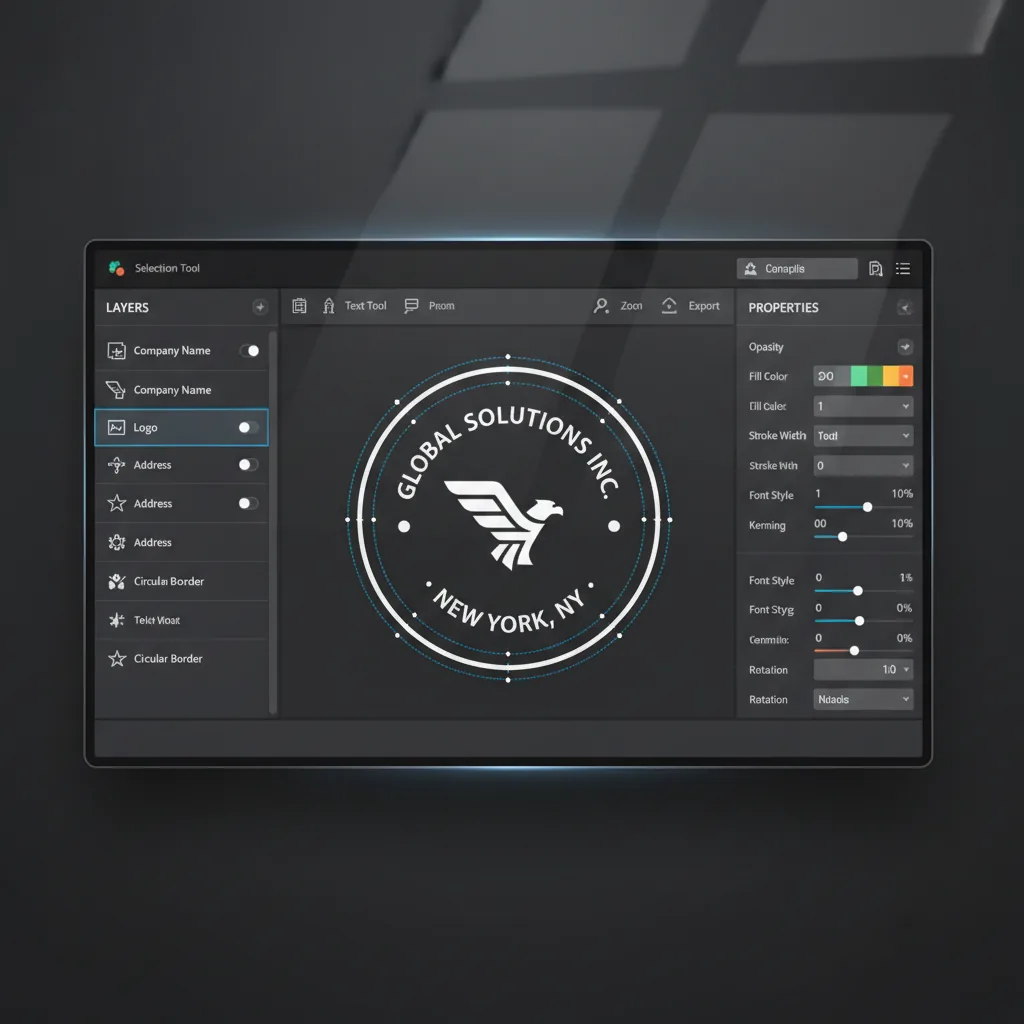
Editare de straturi
Folosiți lista de straturi, selecția de pânză și panoul lateral de proprietăți pentru a continua rafinarea structurii și conținutului ștampilei.
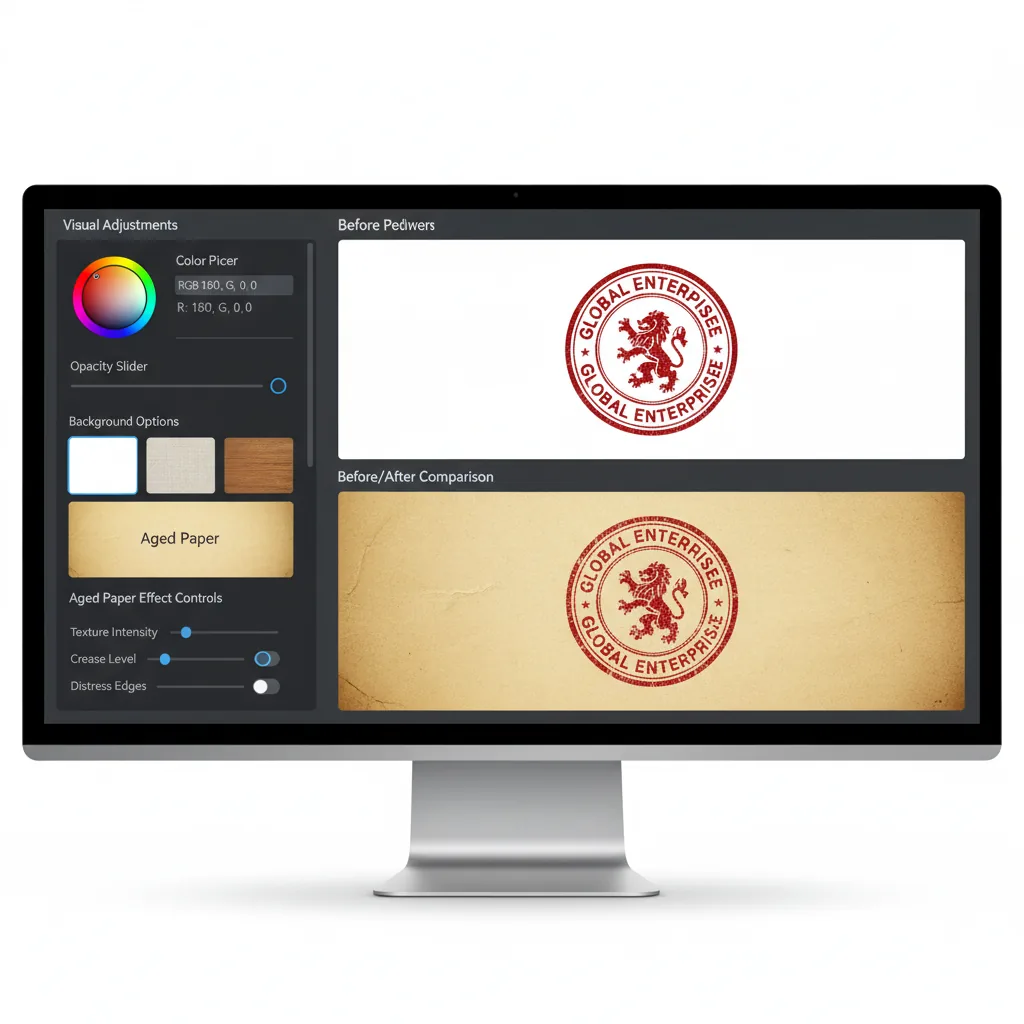
Ajustări vizuale
Modificați culoarea, opacitatea, fundalul și efectele de îmbătrânire pentru ca ștampila să se potrivească cu un aspect mai realist de document.
Ieșire cu fundal transparent
Pregătiți rezultate mai ușor de utilizat continuu în fluxurile ulterioare de documente și aspecte.

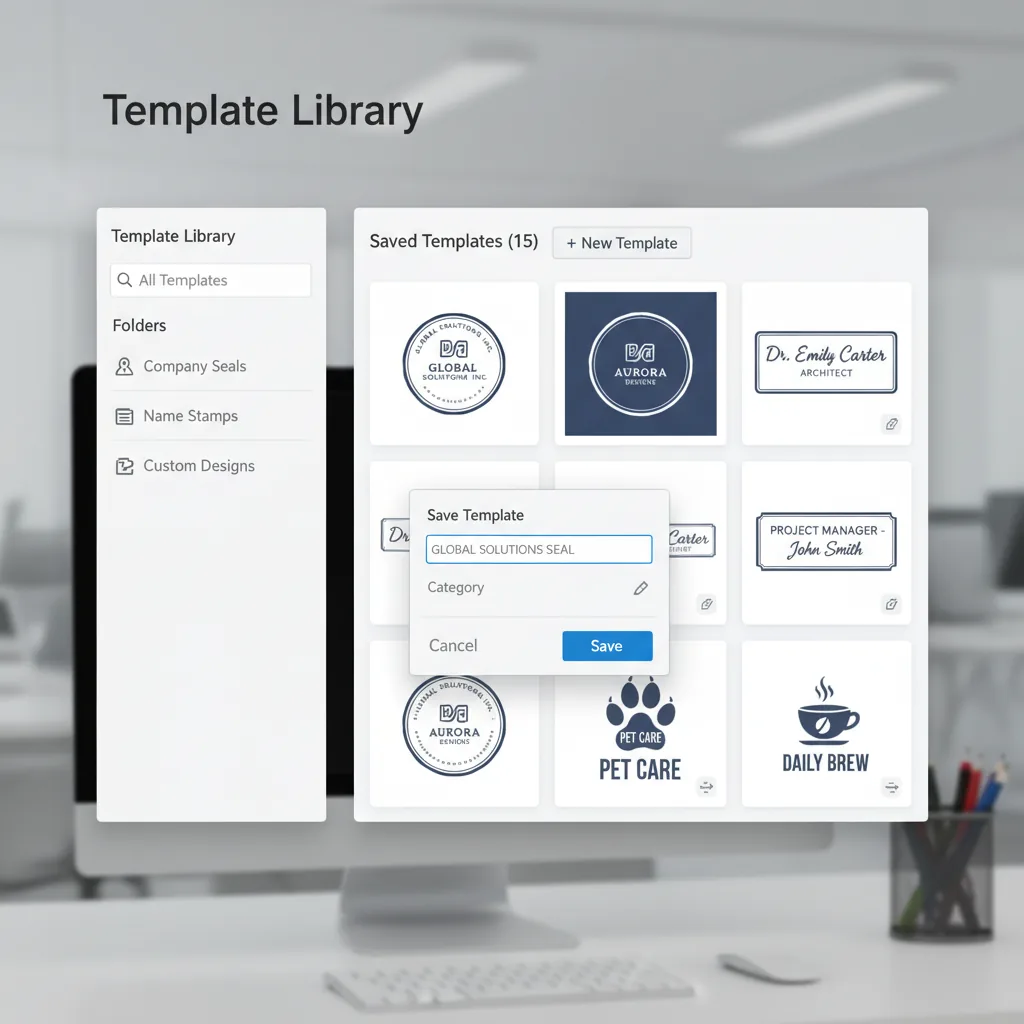
Salvați și reutilizați șabloane
Stocați stilurile de ștampile frecvent utilizate pentru ca următoarea sarcină să pornească dintr-o bază stabilă în loc să fie reconstruită.
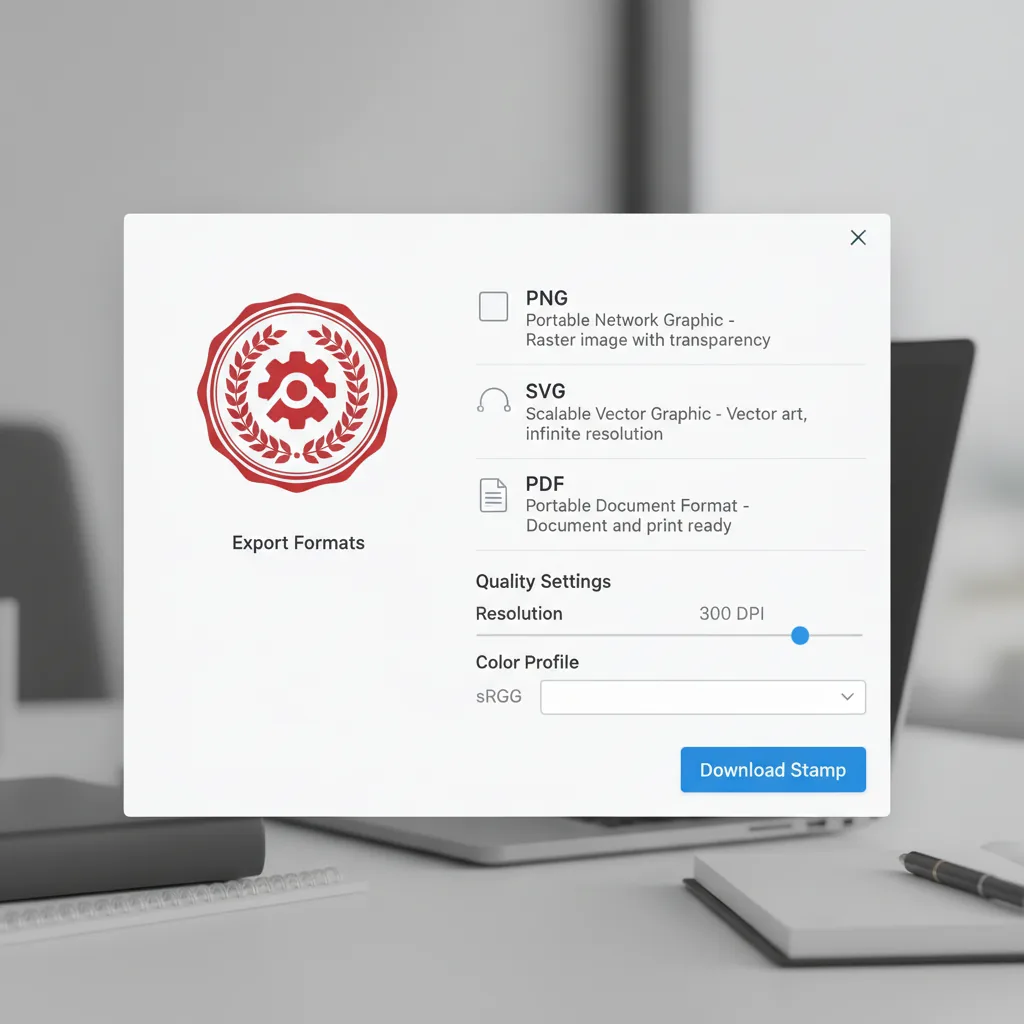
Formate de export
Exportați PNG, SVG, PDF și alte rezultate pe baza contextului de livrare.
Prețuri
Prețuri simple și transparente
Alege planul perfect pentru a crea imagini AI spectaculoase cu Seedream 5.0 Free
24:00:00
Limited offer
32 spots left
Save 50% on annual plans
- Start for free
- Cancel anytime
- Secure payment
Cancel anytime
Reduceri Flash 70%
Basic
$19.8$9.9/month
Perfect pentru amatori și începători
★ 12.000 de credite/year
Cost per 100 credits$0.99
Tot ce îți trebuie ca să începi:
- ✓Planul anual Seedream 5.0 Basic
- ✓1000 de credite pe lună, 12.000 de credite pe an
- ✓Generare de imagini AI cu Seedream 5
- ✓Descărcări nelimitate de imagini Seedream 5.0
- ✓12.000 de credite Seedream 5.0 la facturare anuală
- ✓Istoric permanent al imaginilor Seedream 5.0
- ✓Licență de utilizare comercială
Reduceri Flash 60%
Reduceri Flash 50%
Enterprise
$99.8$49.9/month
Pentru echipe și afaceri
★ 120.000 de credite/year
Cost per 100 credits$0.5
Tot ce include Professional, plus:
- ✓Planul anual Seedream 5.0 Enterprise
- ✓10.000 de credite pe lună, 120.000 de credite pe an
- ✓Generare de imagini AI cu Seedream 5
- ✓Descărcări nelimitate de imagini Seedream 5.0
- ✓120.000 de credite Seedream 5.0 la facturare anuală
- ✓Istoric permanent al imaginilor Seedream 5.0
- ✓Licență de utilizare comercială
Cancel subscription, please contact the support email: [email protected]
Întrebări frecvente
Întrebări comune despre crearea, repararea, extragerea și aplicarea ștampilelor electronice
De la crearea ștampilelor la livrare ștampilată, într-un singur loc
Creați-o, reparați-o, extrageți-o, apoi aplicați-o.
Începeți în browser și treceți prin fluxul complet de ștampile electronice fără a instala software de design.
- 4
- Etape principale
- PDF+
- Scenarii comune de fișiere
- Online
- Flux bazat pe browser
Dovezi sociale
Ce spun utilizatorii pe X
Tweet-uri randate pe server ca HTML semantic simplu, pentru semnale SEO mai puternice și o indexare mai bună.
Ultima actualizare: 14 sept. 2026, 19:17

Turn any PDF into a ready-to-send document in seconds. With StampMaker, you can: • upload a PDF • add stamps, signatures, or marks • export instantly Perfect for invoices, contracts, approvals, and internal reviews. Try it here: [http://stampmaker.io] #buildinpublic #saas https://t.co/8X2UkdvSet
Afișează mai multFocus SEO: AI video workflow · thumbnail design · content creation
![Turn any PDF into a ready-to-send document in seconds. With StampMaker, you can: • upload a PDF • add stamps, signatures, or marks • export instantly Perfect for invoices, contracts, approvals, and internal reviews. Try it here: [http://stampmaker.io] #buildinpublic #saas https://t.co/8X2UkdvSet](https://pbs.twimg.com/media/HE84N2IboAAyEBy.jpg)

Anthropic kills another startup https://t.co/Jh6GParDUt
Focus SEO: AI video workflow · thumbnail design · content creation


Anthropic said it will no longer "pause the scaling and/or delay the deployment of new models" when the updates would outpace its own safety measures. https://bit.ly/40w8FyM
Focus SEO: AI video workflow


Current status https://t.co/aJ7sXXg4ES
Focus SEO: AI video workflow · thumbnail design · content creation

@fuma_nama @fatwang2ai 说起国际化确实遇到一个问题,我这边是用的next-intl with i18n routing,国际化没问题,问题是文档搜索功能,遇到的问题是在中文文档 /zh/docs 路由下,输入中文搜索实际请求时没有正确的locale,导致搜不到中文文档。 我目前的做法是在 /api/search https://t.co/mCRl1clAjD
Focus SEO: AI video workflow


How to recover from a server component error in Next.js https://t.co/zHUEDbiBaI
Focus SEO: AI video workflow
